Website search with Apache Solr.
When a website contains hundreds of pages, documents or products, visitors need a reliable way to find the right information. We build and optimise Apache Solr search for TYPO3 and other systems. We can also run the search service for you.
- Apache Solr for TYPO3 partner
- Search across pages, documents and databases
- Multilingual search with filters

Apache Solr is an open-source search platform from the Apache Software Foundation, built on Lucene. An extension connects your TYPO3 website to the Solr server. Solr indexes your content in advance so visitors can search across large collections of pages, documents and records.
While visitors type
Spelling suggestions
Suggest an alternative when a query contains a likely typo.
Autocomplete
Suggest terms from indexed content as visitors type.
Stemming
Match different forms of a word, such as “document” and “documents”.
Synonyms
Match equivalent terms such as “car” and “automobile” when configured.
Stop words
Ignore selected common words when matching a query.
On the results page
Facets and filters
Let visitors narrow results by category or other attributes.
Relevance weighting
Give matches in page headings more weight than matches in body text.
Result highlighting
Highlight matching terms so visitors can see why a result appeared.
Access permissions
Show restricted content only to users who have permission to see it.
Multilingual search
Return results for the appropriate language and region.
Where Solr search helps
Portals and intranets
Search across multiple sections while respecting access permissions.
Document archives
Search the contents of PDFs and Office documents alongside web pages.
Product and data catalogues
Help visitors narrow large collections by category, attribute or region.
Multilingual websites
Use a separate index for each language, with language-specific stemming and synonyms.
How we build your search
01
Define the requirements.
We agree which content to search, where it comes from and which filters, languages and permissions you need.
02
Set up indexing and build the search interface.
We configure indexing and build the search page, filters and autocomplete to match your website.
Fast search
Solr searches content that has already been indexed. An indexing queue processes updates when content changes.
Scales with your website
We size your setup for the index and expected search traffic, then adjust resources as your project grows. Redundant hosting is available as an additional option.
Multiple sources and formats
Search web pages, PDFs, Office documents, geographic data and databases through one interface.
Semantic search with Apache Solr for TYPO3
Semantic search is available as a project option through dkd’s Apache Solr for TYPO3 extension. It requires Solr 9.9 or later. Features such as sorting, field weighting and result highlighting remain available.
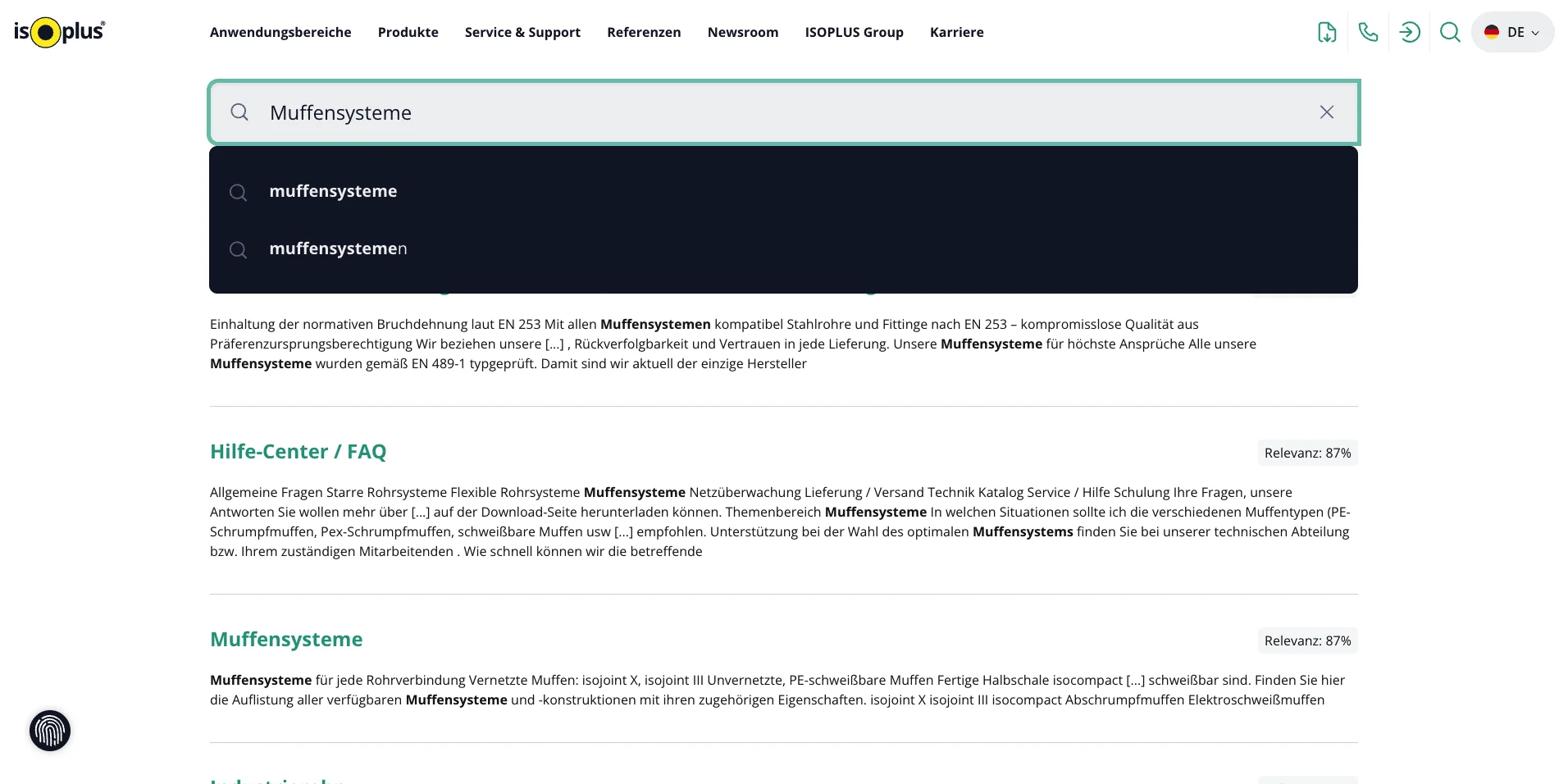
ISOPLUS – Website search for piping systems
The ISOPLUS website search helps visitors find products and technical information for heating networks. Searching for “Muffensysteme”, for example, brings up information on joint systems.
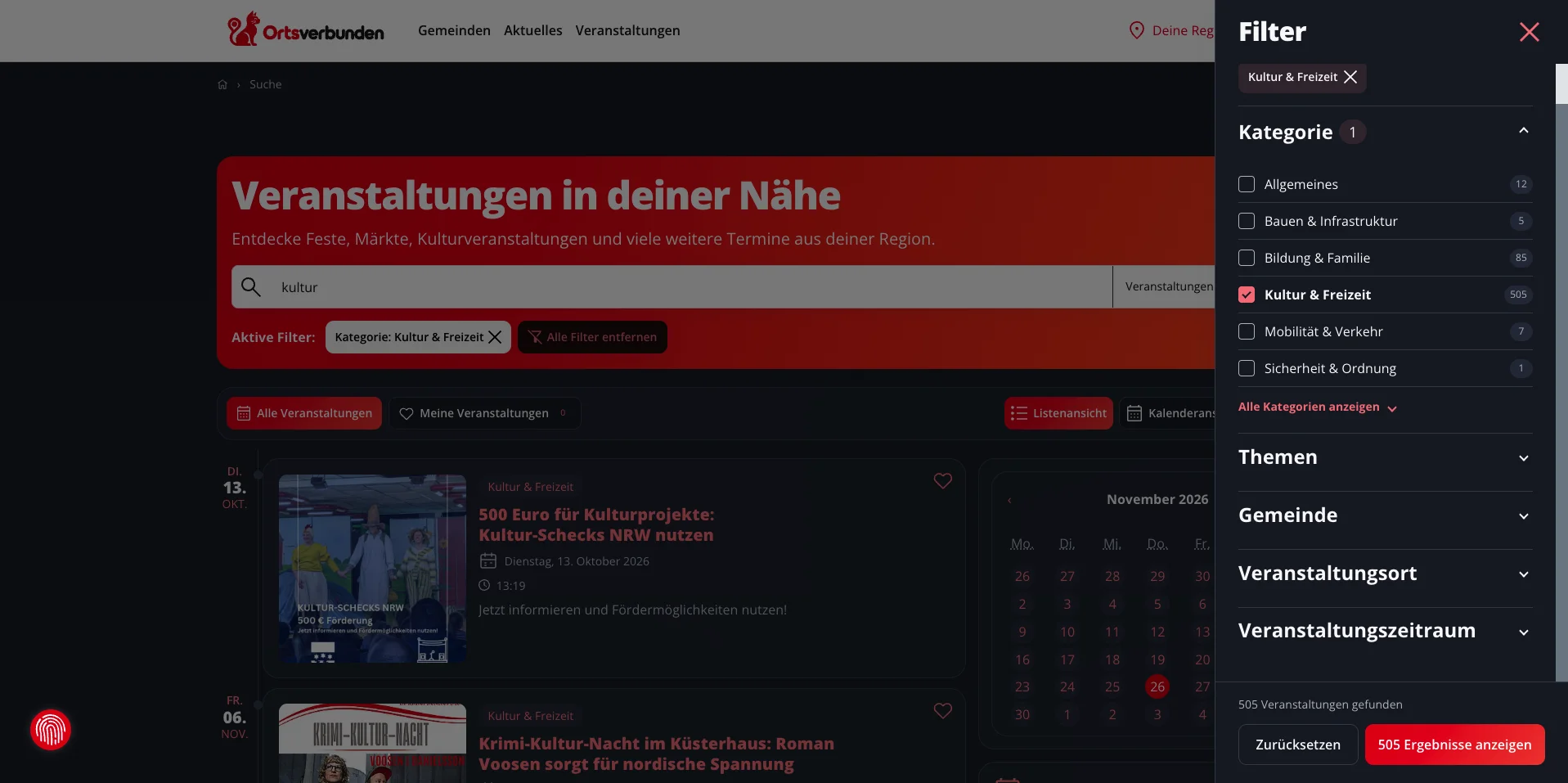
Ortsverbunden – Local search with Apache Solr
Ortsverbunden is our portal for local news, events and information about municipalities. Apache Solr brings these sources into one search. Visitors searching for “Kultur” can narrow event results by category, municipality, venue or date range.
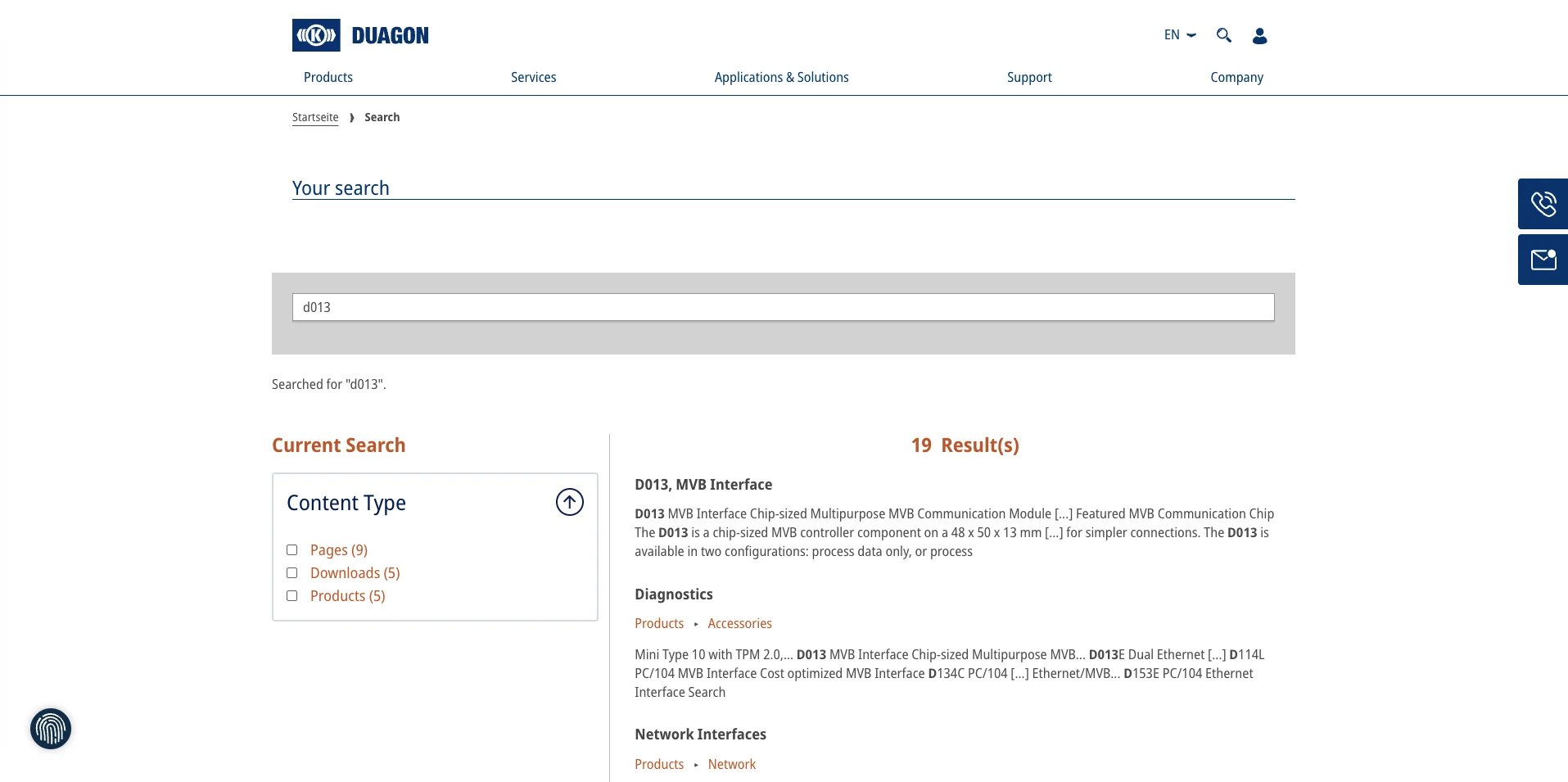
duagon – Product search with Apache Solr
We integrated Apache Solr search into duagon’s TYPO3 website. Searching for a part number such as “D013” brings up the product page and related datasheets. Visitors can narrow the results to products or downloads using the content-type filter.











Improve your existing Solr search
Are important pages missing from search results? Do less relevant results appear first, or are visitors struggling to narrow them down? We review your Solr search using real queries. We check what gets indexed, how results are ranked, and where synonyms, filters or response times could be improved. You receive specific recommendations for your website. If we maintain your site, we can also implement the changes.
TYPO3 Indexed Search can suit a small site with relatively few pages. Consider Solr when you have a large collection of content, documents or multiple languages, or need more control over filtering and ranking.
Yes. Apache Tika can extract text from PDFs and Word, Excel and PowerPoint files so Solr can index it.
Yes. We can integrate Solr with other CMS platforms and websites. We assess the right integration for your project.
We can set up, monitor and maintain the search service through Managed Solr Hosting, including for websites hosted elsewhere.
Yes, as a project option. With Solr 9.9 or later, Apache Solr for TYPO3 can find relevant results even when a visitor uses different wording. Short AI-generated answers based on the search results are also available as an option.
Pricing depends on your data sources, search features and interface. After discussing your requirements, we prepare a quote for implementation and, if requested, managed hosting.
Discuss your website search
Tell us about your website and what visitors need to find. If you want to improve an existing search, include two or three example queries and the results you expected. We’ll discuss what we can do to build, improve or host your search.