NEW: SG AI – Your AI Assistant for TYPO3 – SEO, (image-)text, images & more!


SG CampaignsCreate, Send and Analyse Newsletters — Directly in TYPO3.
With SG Campaigns, you can manage newsletters, recipients
and campaigns in one central interface — including a visual editor,
scheduled delivery and optional performance tracking.
With SG Campaigns, you can manage newsletters, recipients
and campaigns in one central interface — including a visual editor,
scheduled delivery and optional performance tracking.
The Complete Newsletter Workflow in Your CMS
Newsletter content is often already created in TYPO3, while recipient lists, delivery and reporting are managed in separate systems. This adds extra interfaces, disrupts workflows and creates unnecessary coordination.
SG Campaigns brings the entire process into TYPO3: design newsletters, select audiences, send tests, schedule campaigns and analyze results.
The Right Editor for Every Campaign
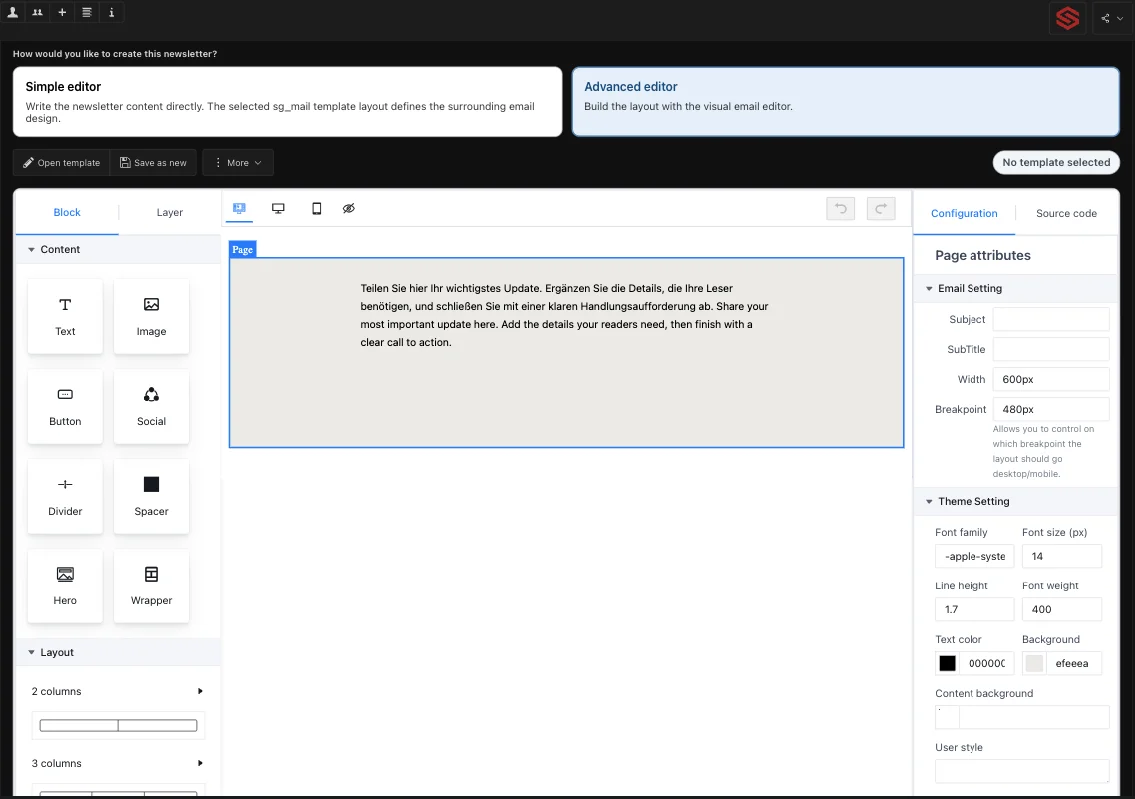
For quick updates, a simple editor is available. The existing SG Mail layout ensures a consistent appearance.
For individually designed campaigns, SG Campaigns provides an advanced visual editor. Content and layouts can be assembled flexibly, saved as templates and reused for future newsletters.
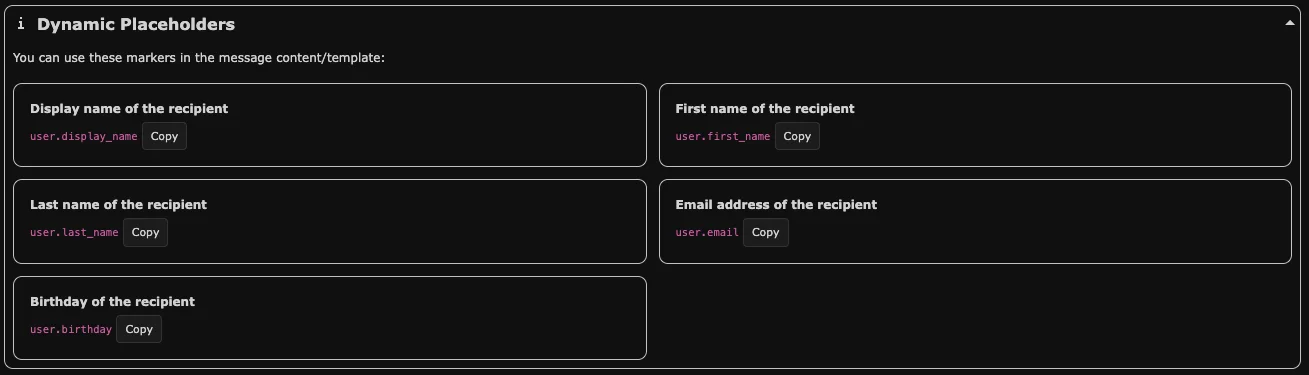
Dynamic placeholders for names, email addresses and other recipient data make personalized communication possible.
For Content Creation, Delivery and Recipient Management
All essential features are combined in one clearly structured TYPO3 backend module.
Preview and Test Delivery
Review the subject, content, recipients and attachments before sending the final campaign.
Reusable Templates
Save, load, duplicate, import and export newsletter templates.
Flexible Recipient Sources
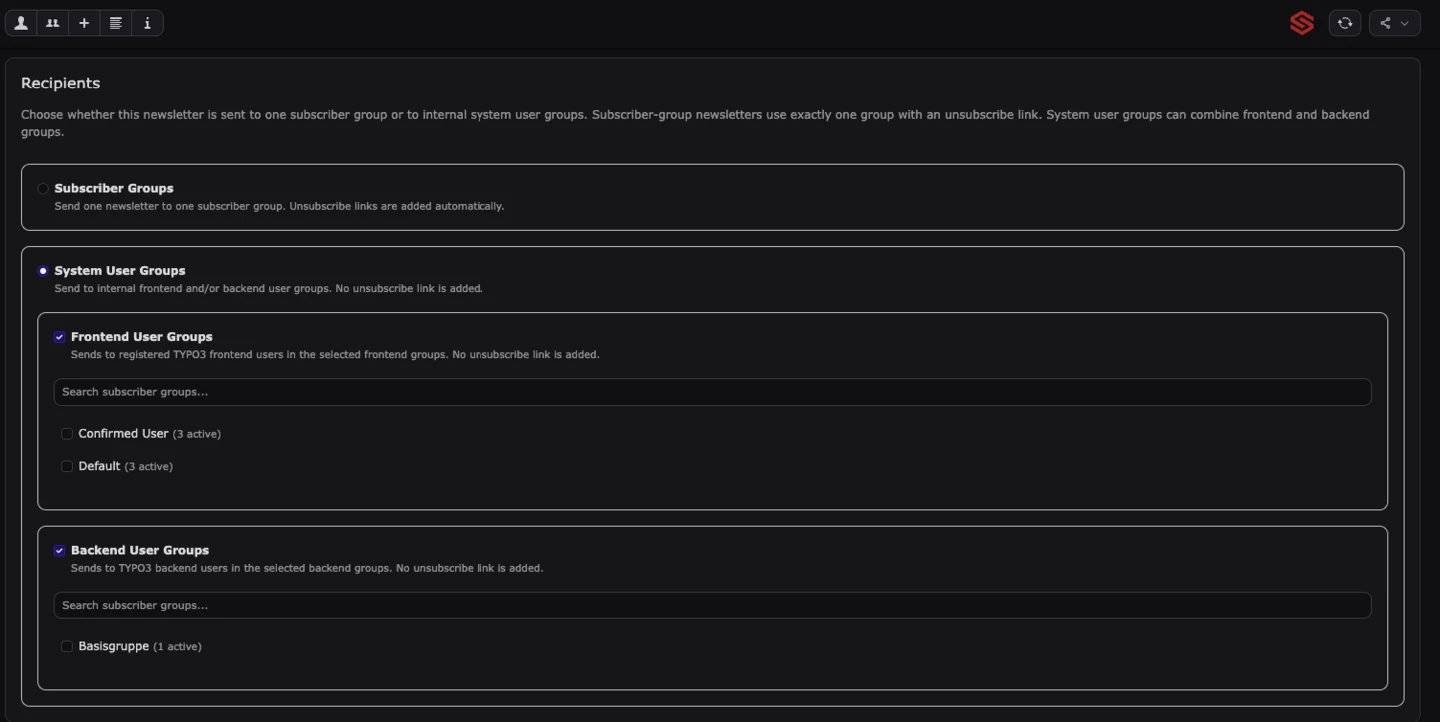
Send newsletters to subscriber groups or selected TYPO3 frontend and backend user groups.
CSV Import and Export
Conveniently import and export subscribers and recipient groups using CSV files.
File Attachments
Attach documents and other files to campaigns using TYPO3 file management.
Delivery History
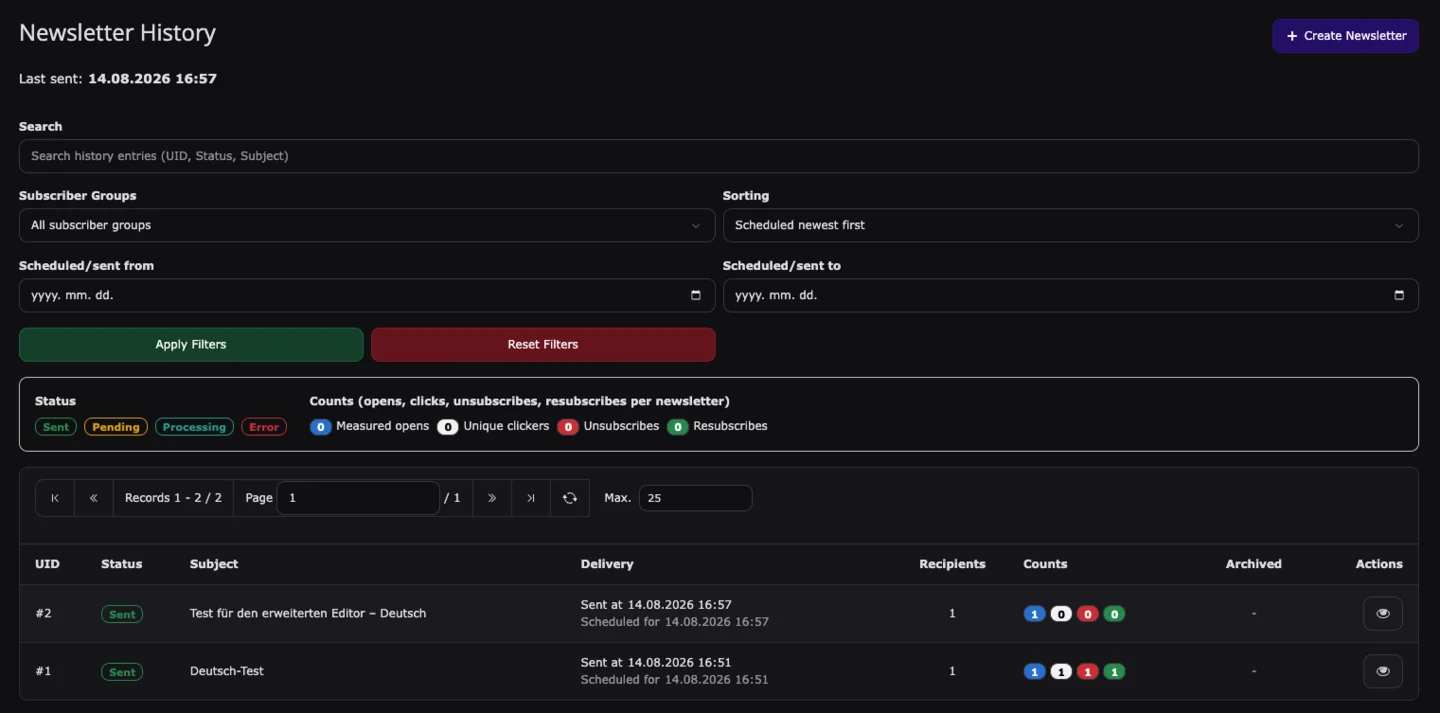
Keep track of scheduled, processing, sent and failed campaigns in one central overview.
See What Interests Your Readers
When tracking is enabled, SG Campaigns displays the most important campaign interactions directly in the TYPO3 backend.
Analyze measured opens, unique clicks, unsubscribes and resubscriptions. Timelines and individual link performance help you tailor future content more effectively.
Devices, browsers and operating systems can also be analyzed optionally. Integrated bot detection filters obvious automated visits and preload requests.
The Right Message for the Right Audience
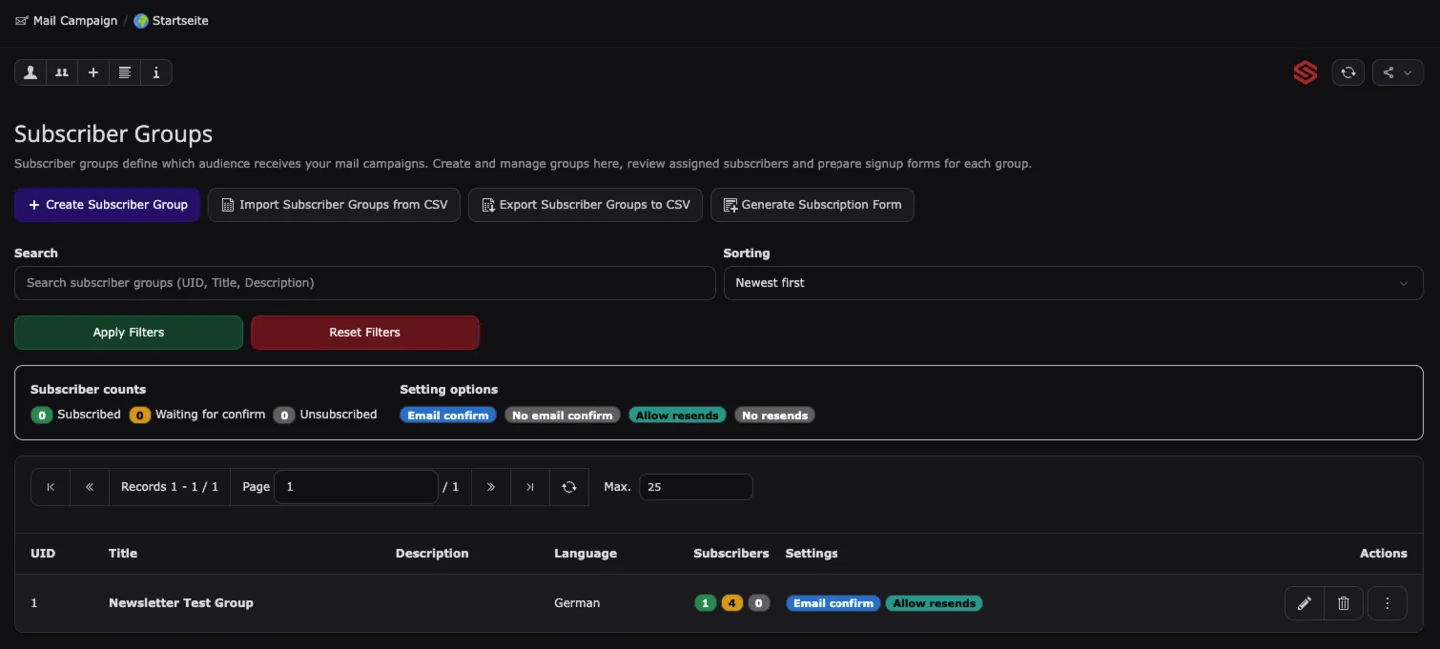
Organize subscribers into different groups—for example, by topic, language or newsletter offering.
New contacts can be added through sign-up forms, in the backend or by CSV import. Different membership statuses show whether a subscription is awaiting confirmation, active or ended.
Subscribers can update their selection through a dedicated management page. Blocked email addresses can be prevented from subscribing again.
Seamlessly Integrated into Your TYPO3 Website
Sign-up, subscription management and the newsletter archive become part of your existing website.
From Draft to Delivery
SG Campaigns guides editors through every stage of creating a campaign:
1. Configure the Campaign
Select the subject, editor and basic campaign settings.
2. Design the Newsletter
Create the content with the simple or visual editor and use a template if required.
3. Select Recipients
Choose a subscriber group or selected TYPO3 frontend and backend user groups.
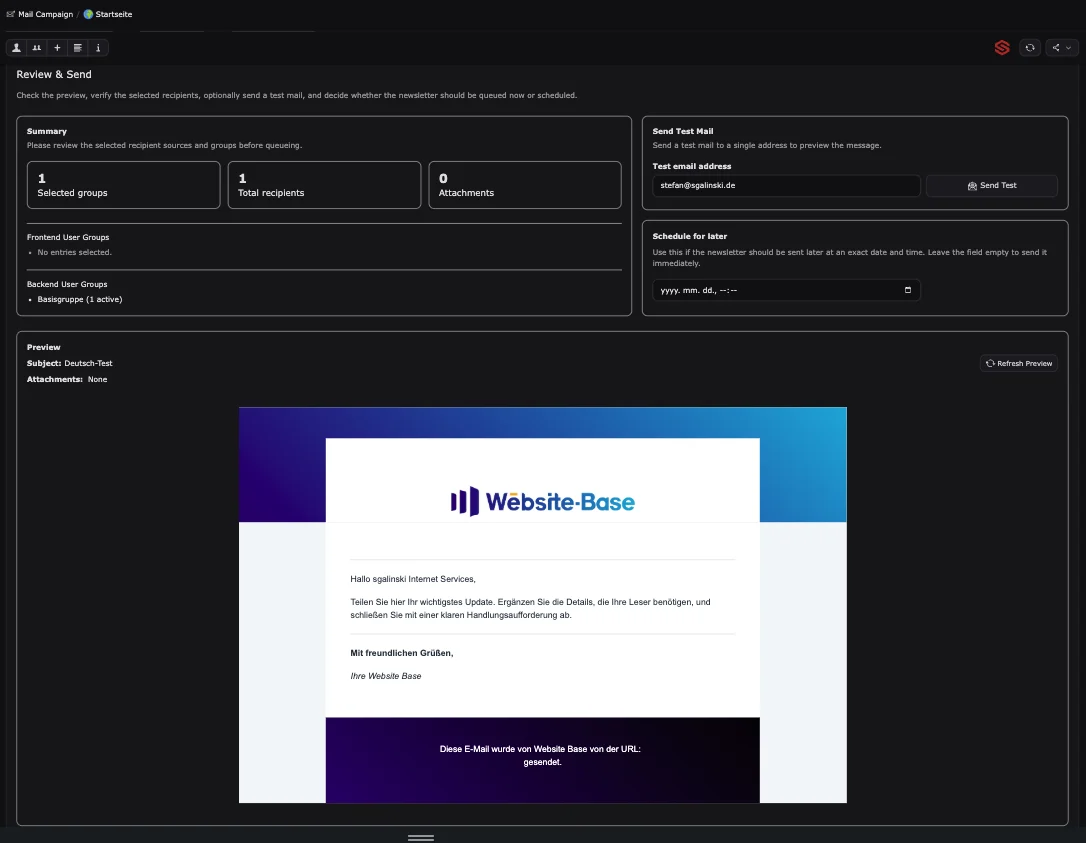
4. Review the Preview
Check the newsletter, subject, recipient count and attachments before delivery.
5. Send a Test Email
Send the completed campaign to an individual email address for final verification.
6. Send Now or Schedule
Add the newsletter to the delivery queue immediately or select a later delivery time.
Frequently Asked Questions
Yes. SG Campaigns is an open-source extension released under the GPL-2.0-or-later license.
Yes. Subscribers and recipient groups can be imported and exported using CSV files.
No. A lightweight editor is available for simple newsletters. The visual editor can be used for more complex layouts.
Yes. Placeholders make it possible to personalize newsletters using the recipient’s first name, last name or display name, among other information.
Campaigns can be sent to an SG Campaigns subscriber group or selected TYPO3 frontend and backend user groups.
Yes. Double opt-in can be enabled individually for each subscriber group. If configured accordingly, another confirmation email can be sent to subscribers who have not yet confirmed their subscription.
No. Tracking is optional and disabled by default. Open, click, unsubscribe and resubscription tracking can be configured according to the project’s requirements.
Campaigns are added to a delivery queue through SG Mail. They can be processed immediately or at a specified time.
Launch Newsletter Campaigns Directly in TYPO3
Create, send and analyze newsletters centrally in your TYPO3 backend—with SG Campaigns.