NEW: SG AI – Your AI Assistant for TYPO3 – SEO, (image-)text, images & more!


Secure Share — Share secrets securely
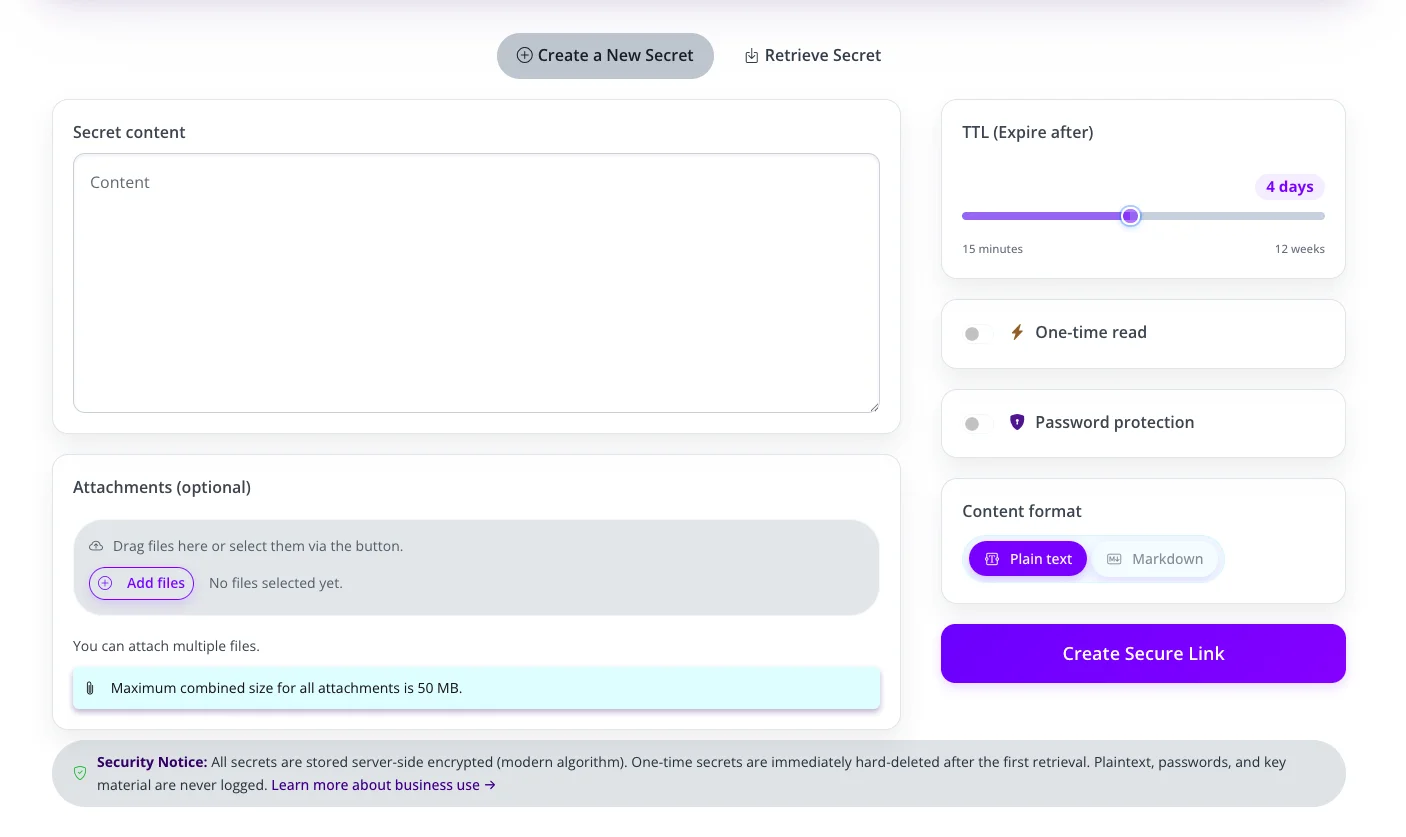
Share passwords, credentials, API keys and confidential information via encrypted one-time links — without insecure emails or messengers.
Share passwords, credentials, API keys and confidential information via encrypted one-time links — without insecure emails or messengers.
Secure Share helps teams share sensitive information in a controlled way — with encrypted links, automatic deletion, optional password protection and clear security mechanisms.
Secure Share creates secure links for confidential information. Instead of sending passwords, credentials or API keys directly via email, chat or tickets, an encrypted one-time link is generated.
The recipient opens the link, reads the secret and the data is automatically deleted — either after the first retrieval or when the selected expiration time is reached.
- Encrypted one-time links
- Expiration from minutes to several weeks
- Optional password protection
- Attachments for confidential files
- No account required
- Automatic deletion
IT & Development
Share SSH keys, API tokens, database passwords and server credentials securely.
Agencies & Client Projects
Hand over credentials professionally to clients, external partners or project teams.
HR & Onboarding
Share initial passwords, access credentials or confidential employee information securely.
Support & Helpdesk
Exchange temporary access data or sensitive information in a controlled way.
Legal & Consulting
Send document passwords, PINs and confidential client information securely.
Finance & Compliance
Share sensitive credentials and audit-related information with clear deletion behavior.
Security that stays understandable
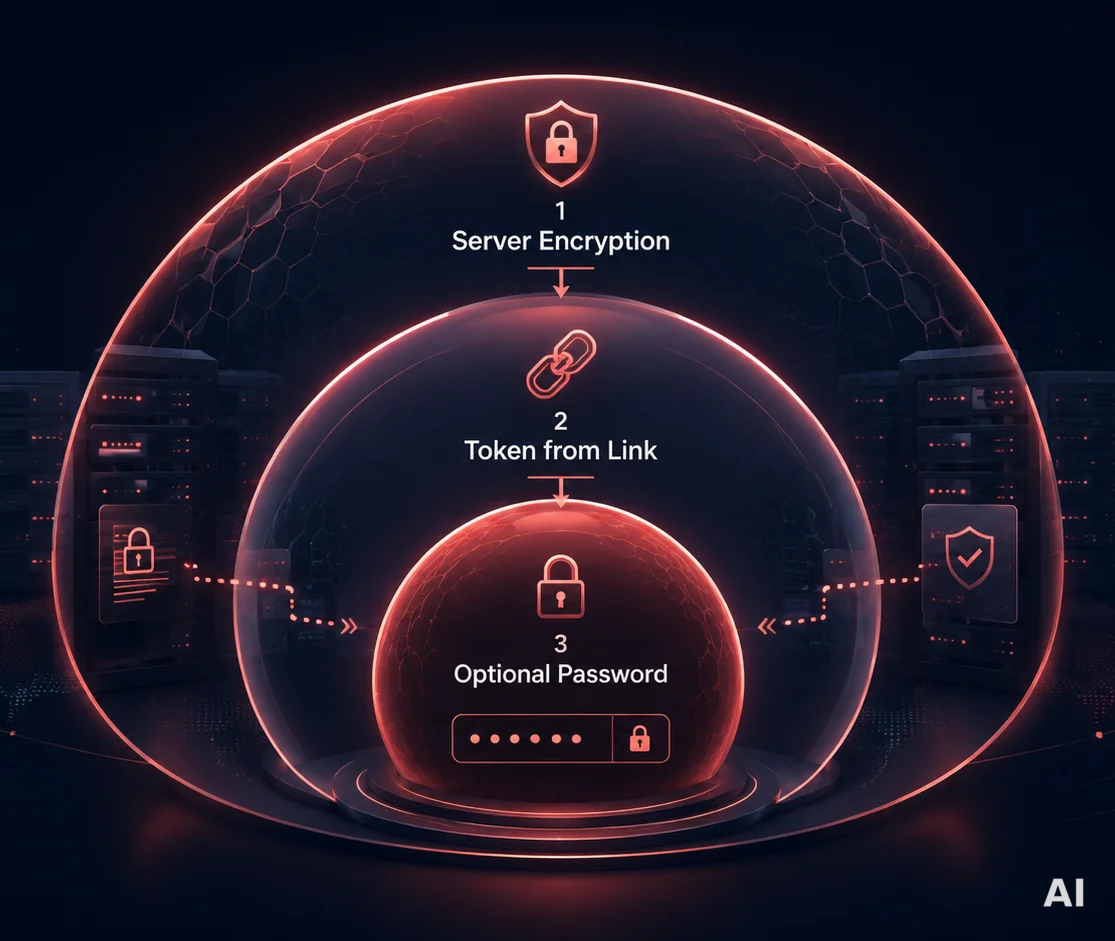
Secure Share is built for the secure exchange of sensitive information. Secrets are stored encrypted, access tokens are not stored in plaintext and content is permanently deleted after retrieval or expiration.
This allows confidential information to be transferred without storing it permanently in emails, chat histories or ticket systems.
More than text: secrets, files and integrity checks
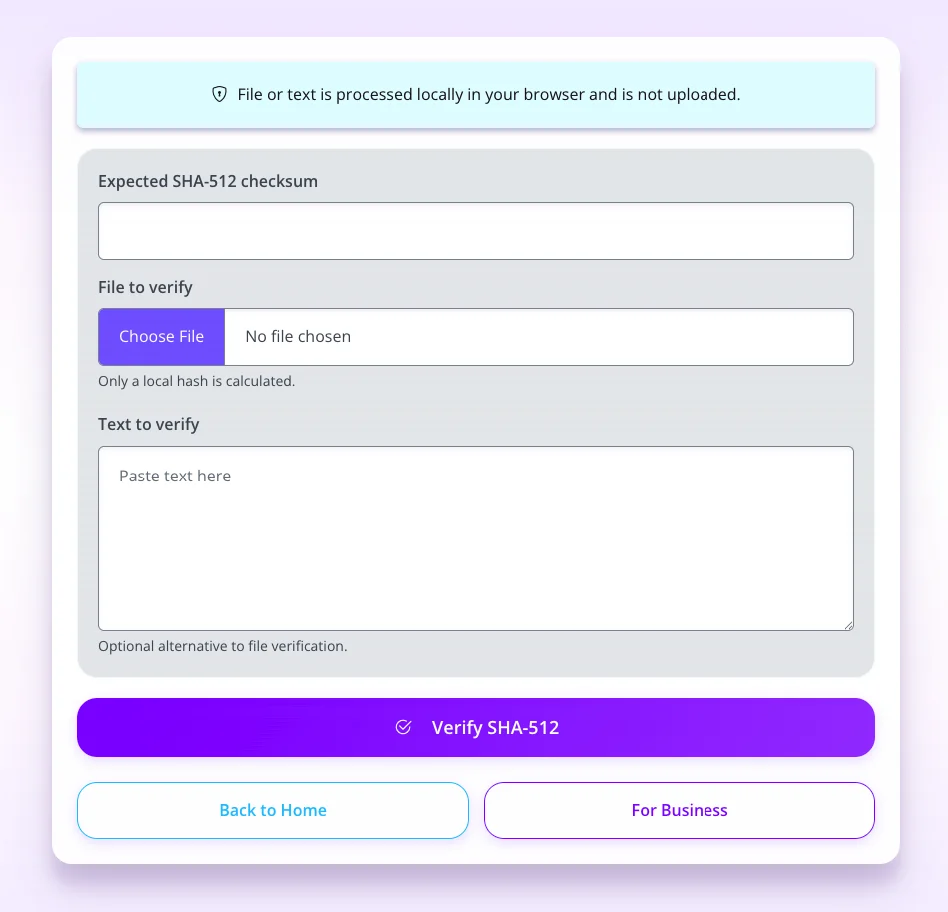
In addition to text content, confidential files can also be shared as attachments. For additional security, a SHA-512 verifier is available to check files or text locally in the browser — without uploading content to the server.
This makes Secure Share suitable not only for passwords, but also for confidential files, key material and information whose integrity needs to be verified.
Why not just use email?
Emails, chats and tickets are convenient, but not ideal for sensitive information. Content often remains stored, gets forwarded or lives across multiple systems. Sgalinski Share transfers secrets in a more controlled way — with expiration, optional password protection and automatic deletion.
|
Features |
E-Mail / Chat |
Secure Share |
|---|---|---|
|
Encrypted secret link |
||
|
Automatic deletion |
||
|
One-time retrieval possible |
||
|
Optional password protection |
||
|
No storage in message history |
||
|
API integration possible |
For businesses, Secure Share can be integrated into existing processes. Secrets can be generated automatically via API access — for example, for internal tools, CI/CD processes, support systems or customer portals.
In addition, bespoke business options are available, such as custom domains, bespoke branding or tailored enterprise solutions.
- API access for automated secret generation
- Custom domain
- White-label branding
- Custom colours and logo
- Enterprise Support
- Integration into internal workflows
No. Secure Share can be used without an account.
An expiration time can be selected. After that, the secret is automatically deleted.
Yes. With one-time retrieval enabled, the content is permanently deleted after the first opening.
Yes. Confidential files can optionally be added as attachments.
Yes. An additional password can be set for extra security.
Yes. API access, branding and custom-domain options are available for businesses.
No. Secret content, passwords and key material are not logged in plain text.